
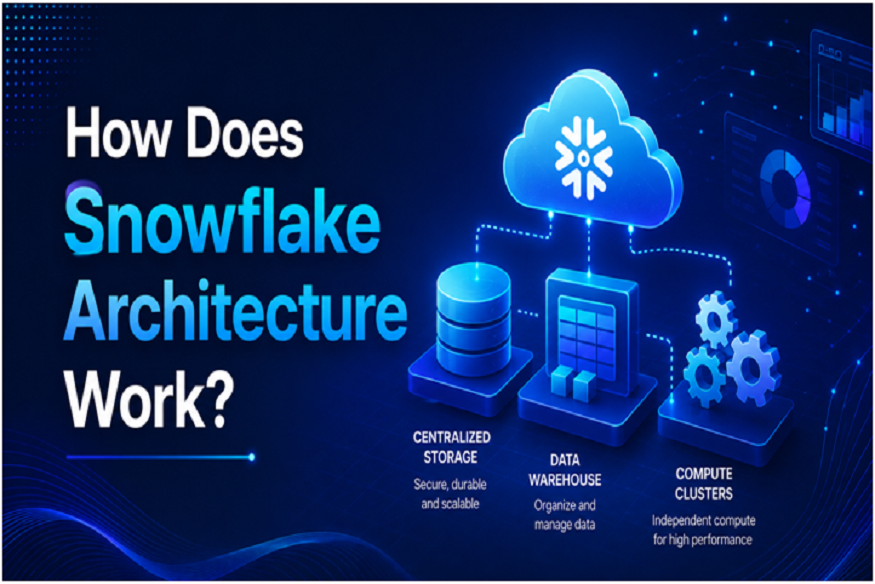
If you’re trying to learn Snowflake, then the architecture of Snowflake is one of the best things you should try to comprehend first since things like virtual warehouses, data ingestion, query execution, and data sharing would be easier to comprehend.
In general terms, Snowflake uses the cloud-native architecture that consists of separating data storage, compute, and cloud services. The separation helps businesses to store their data in a centralized location using separate computing capabilities.
For professionals who are trying to gain expertise in cloud data engineering, Snowflake Training in Chennai can be very beneficial as you’ll get practical exposure to SQL, data warehousing, data pipelines, and Snowflake architecture.
What Is Snowflake Architecture?
Snowflake architecture refers to the manner in which the database structures its key components for storing, processing, managing, and securing the data.
These layers include:
- Database Storage
- Compute
- Cloud Services
These layers cooperate but have distinct roles to play.
Read More: Seven Router Placement Tips That Improve JioFiber Speed at Home
The difference in role is among the most important concepts that distinguish Snowflake from the majority of data warehouse systems.
1. Database Storage Layer
The storage layer is responsible for storing the actual data.
In case you have loaded data to your Snowflake tables, then Snowflake takes care of the storage behind the scenes and not you.
The storage layer is made for large scale data analysis.
It can deal with structured and unstructured data, so you can work with the following types of data:
- Relational tables
- JSON
- Parquet
- Avro
- XML
Snowflake handles most of the storage-related aspects automatically.
It implies that the data engineers can concentrate more on the data pipeline creation rather than the physical storage management.
2. Compute Layer
The compute layer is responsible for processing queries and other data workloads.
This is where virtual warehouses come into the picture.
A virtual warehouse is a collection of computing resources used to perform tasks such as:
- Running SQL queries
- Loading data
- Transforming datasets
- Updating tables
- Creating analytical results
A unique feature of Snowflake is that compute and storage are decoupled.
In other words, consider a firm whose sales database resides in Snowflake.
The data can remain in the storage layer while one virtual warehouse handles reporting queries and another processes data transformation jobs.
This helps different workloads operate independently.
3. Cloud Services Layer
The cloud services layer coordinates many of Snowflake’s platform-level operations.
It is responsible for functions such as:
- Authentication
- Access control
- Metadata management
- Query optimization
- Infrastructure coordination
- Security
- Managing user requests
When a user submits a SQL query, the cloud services layer helps determine how that request should be handled.
It works with the suitable computing and storage components to handle the request.
How Do These Layers Cooperate?
Here is a simple example.
Suppose an analyst runs:
SELECT region, SUM(sales_amount)
FROM sales
GROUP BY region;
Several components work together.
First, the request reaches the cloud services layer.
Snowflake determines the user’s permissions, understands the query, and coordinates query processing.
The selected virtual warehouse provides the compute resources needed to execute the query.
The storage layer provides the required data.
The compute resources process the information and return the results.
So the simplified flow is:
User → Cloud Services → Virtual Warehouse → Storage → Query Result
This separation makes it possible for Snowflake to handle different workload portions separately.
What Does Snowflake Do with Storage and Compute?
The most frequently asked question about Snowflake is what is different in the way it works from a regular data warehouse?
The answer lies in the separation of storage and compute.
Storage and processing capacity are usually very much interrelated in the traditional solutions.
Not so in Snowflake – it offers you flexibility.
Data storage can be centralized but workloads can be created separately from one another in different virtual warehouses.
For example:
Warehouse A → Business Intelligence
Warehouse B → ETL/ELT
Warehouse C → Data Science
Each workload can use its own compute resources while accessing the same underlying data.
What Is a Snowflake Database?
Another common question is what is Snowflake database?
Within Snowflake, a database is a logical container for schemas and other database objects.
A typical structure looks like:
Snowflake Account → Database → Schema → Table
For example:
CREATE DATABASE sales_db;
You could then create a schema:
CREATE SCHEMA sales_db.analytics;
And create tables within that schema.
It is important to distinguish between a Snowflake database object and the Snowflake platform itself.
Snowflake represents the entire cloud data platform, whereas the database represents just one of the logical constructs created on that platform.
Snowflake Cloud Data Warehouse Architecture
The snowflake cloud data warehouse architecture is built specifically for the modern analytics workloads. Since Snowflake is a cloud-native platform, there is no need to worry about the traditional warehouse physical infrastructure.
Snowflake can be deployed in cloud environments, such as AWS, Microsoft Azure, and Google Cloud. The platform handles most of the infrastructure concerns while the user concentrates on the data, queries, workload, and access management.
Benefits of Snowflake’s Architecture
Independent Compute
Different workloads can use separate virtual warehouses.
Centralized Storage
Data can remain in a central storage layer while different compute resources access it.
Flexible Scaling
Compute resources can be adjusted according to workload requirements.
Workload Isolation
Separate warehouses can help prevent one workload from directly competing with another.
Support for Different Data Types
Snowflake can handle both structured and unstructured data.
Reduced Infrastructural Management
Much of the cloud infrastructure is managed by Snowflake.
How Does Snowflake Support Data Engineering?
Snowflake architecture also helps in data engineering tasks.
Data engineers can use features such as:
- Stages
- Snowpipe
- Streams
- Tasks
- Dynamic Tables
- Zero-copy cloning
- Secure data sharing
For example, a data pipeline might look like:
Source System → Cloud Storage → Snowflake Stage → Raw Table → Transformation → Analytics Table
Compute resources process the transformations, while the storage layer maintains the underlying data.
This allows engineers to build scalable workflows without managing traditional warehouse infrastructure.
Why Is Architecture Important for Data Engineers?
Understanding the architecture can help data engineers make informed decisions.
For instance, when you are having an issue with your query performance, then you need to understand the problem with either the SQL query, computing resources, data organization, or other workload factors.
Read More: An understanding of how a VoIP Phone System UK can unlock business agility
Also, understanding the architecture will be useful in designing your pipeline since it requires you to know about where data is stored, loaded, and the computing resources that will process the data.
Also, knowing the architecture will make it easier for you to understand the advanced capabilities of Snowflake.
Conclusion
The Snowflake architecture is based on the separation of storage, computing, and cloud services layers. Storage layers handle the data, while the computing layer handles the computing needs through virtual warehouses, while cloud services layer handles authentication, metadata, querying, security, and more.
This architecture allows Snowflake to be flexible when it comes to handling analytical and data engineering workloads without having to deal with traditional infrastructure.
After understanding the three layers, topics such as virtual warehouses, Snowpipe, Streams, Tasks, data sharing, and query optimization become easier to comprehend. Qmatrix Technologies prepares learners to gain practical experience in Snowflake and cloud data engineering through hands-on projects, SQL coding exercises, case studies, and interview preparation.